D&D Toolkit features
D&D Toolkit is a free web app for Dungeon Masters running Dungeons & Dragons (fifth edition, 2024 rules) and similar games. It rolls NPCs, keeps track of a fight, holds your party and your notes, and can show a battle map on your players' phones. You do not need an account to use it, and what you make stays in your browser unless you turn on cloud save.
NPC generator
Roll a person in a second and have something to say about them.
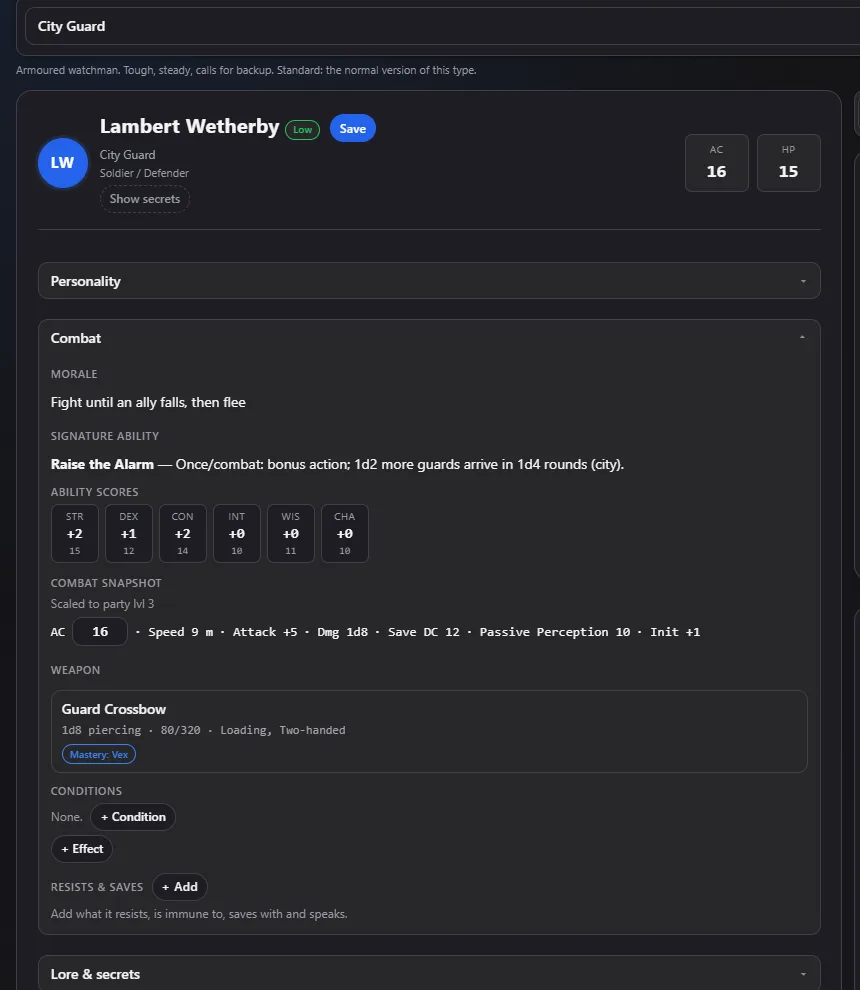
Same seed, same NPC
Every NPC comes from a seed. Roll the same seed again and you get the same person, so you can share one or come back to it.
Minion, Standard and Elite
Three tiers, from a nameless guard to a named threat. Hit points, armour class, attack bonus and save DC scale to the average level of your party.
A person, not a stat block
Each NPC comes with looks, quirks, motivations, rumours, a signature weapon or ability and a few lines of flavour.
Merchants and shops
Merchants have a specialty with matching stats (an armourer hits harder, a curio dealer is frailer) and a generated stock of goods.
Loot for every NPC
Each NPC carries ordinary things, coins and sometimes something worth stealing.
A web of relationships
Link NPCs to each other. A link shows from both sides, so you can see who knows whom.
Two settings
Choose Standard Fantasy or a setting inspired by Throne of Glass. A campaign uses one setting; you can change it until you save your first NPC.
Collection
Keep NPCs in groups, search them, pick several and act on them together, and send some to a fight.
Random encounters
Roll an encounter by region and danger level from weighted tables.
Combat tracker
Run a fight turn by turn without a page of notes.
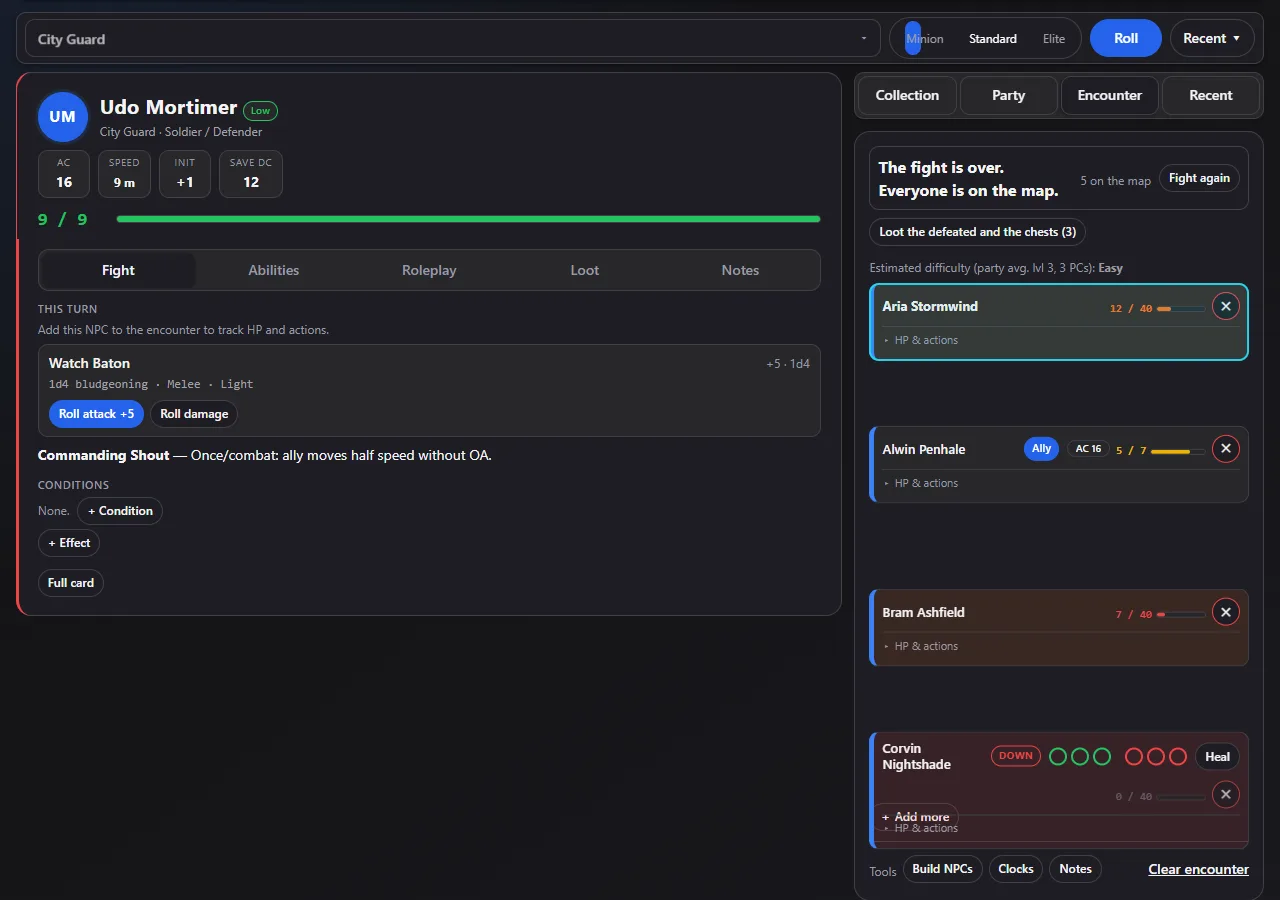
Initiative and turns
The order sorts itself, highest first. Press Next and the turn moves on.
2024 rules
Action, Bonus Action and Reaction, Concentration, Heroic Inspiration, Exhaustion, death saves, Hit Point Dice and weapon mastery are tracked for you.
Hit points and conditions
Hit points, armour class and temporary hit points for everyone, automatic Bloodied and Down states, and conditions with a short explanation of what each one does.
Attacks and ongoing effects
Pick one or more targets, then a single hit or an ongoing effect such as fire or poison with its own damage die and save DC. NPCs roll their own ongoing damage each turn; players get a reminder to roll theirs.
Damage and healing log
Damage, healing and temporary hit points are logged, with who did it. Click a name to open that creature's card in the middle of a fight.
Morale
Reminders to check morale, and a Fled condition for those who run.
Ready-made creatures
Add creatures to a fight from presets, next to your own NPCs and the party.
Party and player characters
Everything about the people at your table, in one place.
Characters
Add player characters with ability scores, hit points, armour class and level. Note who plays whom.
Companions
Familiars, hirelings and other companions can be sent into a fight as real combatants.
Rests and levelling
Short and long rests with Hit Dice, and a level-up flow where you enter the numbers your campaign uses.
A real wallet
Gold, silver, copper and platinum. A loot entry that is just a coin roll is rolled and added to the wallet instead of becoming a junk item.
Session log and MVP
Each character keeps a log of damage taken, dealt and healed and natural 20s and 1s. A Hall of Fame and an MVP breakdown show who did what.
Wild Shape
Track a druid's beast forms and use the form's own speed and statistics.
Loot and chests
Treasure that players have to go and find.
Give and split loot
Give an item to one character, or split a haul between several.
Chests of five qualities
Roll a chest from plain to legendary. Better chests have a false bottom with the best item in it, found with an Investigation check.
Hidden chests
Hide a chest in a back room. A character with a good enough passive Investigation notices it and sees a faint sparkle on their own phone. The others see nothing.
Names and numbers
Chests with the same name are numbered in the order your players find them, so the numbers never reveal how many there are.
Loot by distance
Players can only take loot from a body or chest they are close to or in the same room as. They send a request and you agree. Once taken, an item cannot be taken twice.
Battle map editor
Draw a map, put tokens on it and show only what your players should see.
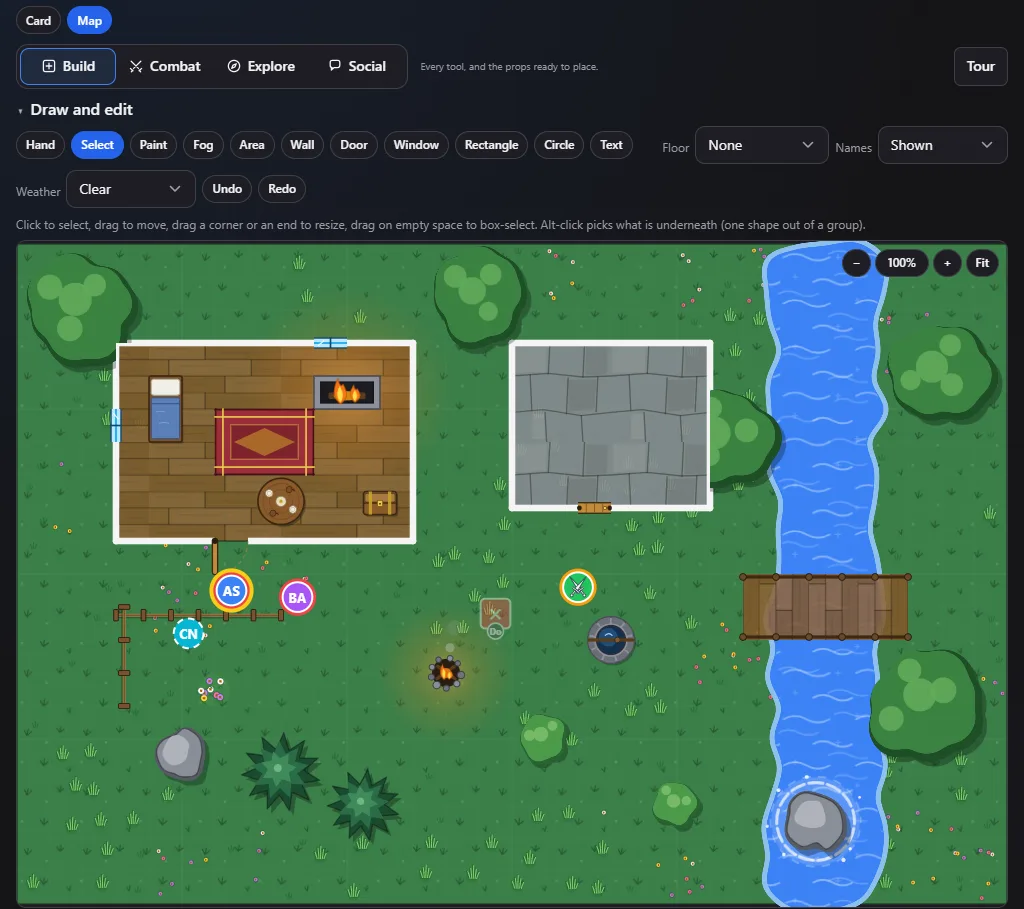
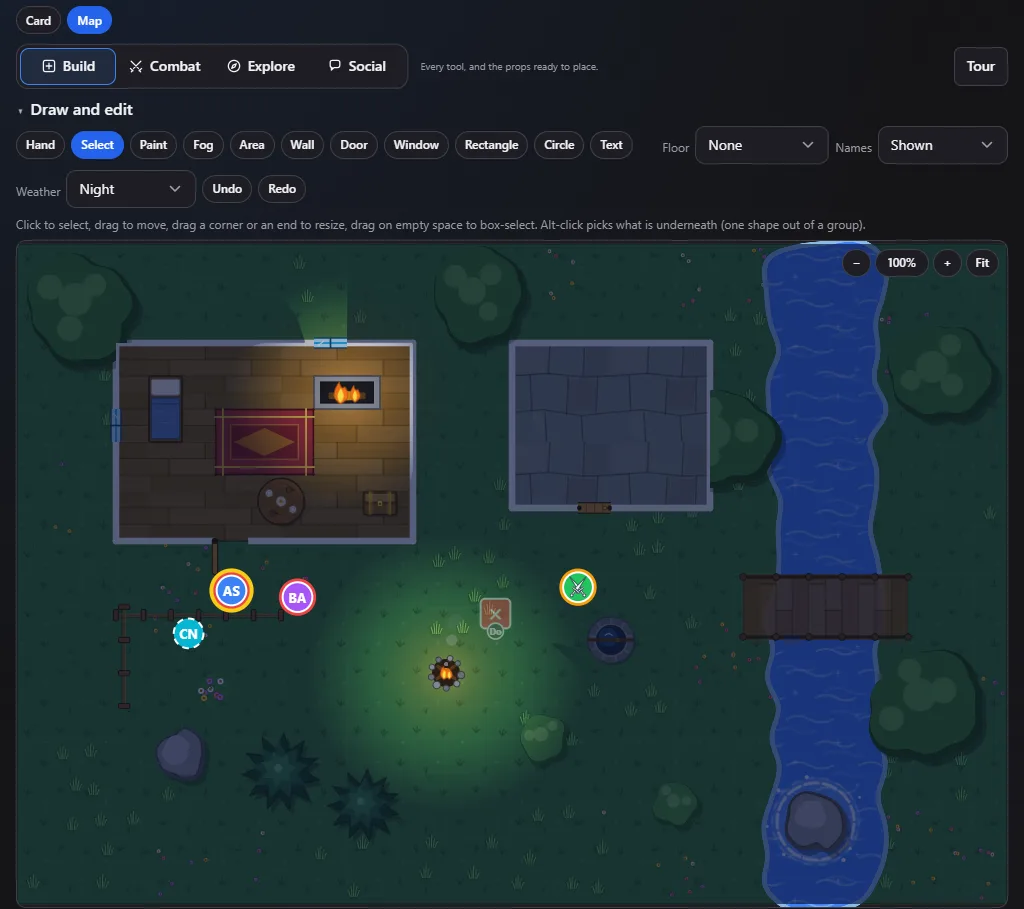
Buildings that snap together
Place a house, a bar, a prison or a tower with its walls, doors, windows and furniture. Drop one next to another and they join, with a door where they meet.
Drawing tools
Walls, doors, windows, rectangles, circles and text, with colours and materials. Turn anything freely, and save your own props.
Ground and water
Paint grass, sand, snow, mud, stone and water. Rivers and ponds have banks, ripples and foam round things standing in them.
Nature
Trees, pines, birches, palms, willows, bushes, rocks, flowers, reeds and mushrooms, each a little different. Tall trees grow over roofs and fade away from rooms once you reveal them.
Layers that sort themselves
Water, grass and big plain floors always lie under buildings and things, whatever order you drew them in. You can still pin a shape to the ground, to things or to overhead.
Rooms and roofs
Rooms are hidden from the players until a character steps in, a door opens or you reveal them. Roofs fade away smoothly, and rain stays out of rooms you can see into.
Fog of war
Hide the map and reveal it square by square, or let it open round the characters as they move.
Weather, night and firelight
Rain, storm, mist, snow and night. At night fires and torches light the ground round them, and walls stop the light, while open doors and windows let it through.
Spell areas
Circles, cones and lines that everyone sees, with the tokens inside marked.
Wagons and boats
Transports carry the characters standing on them when they move or turn.
Tokens with pictures
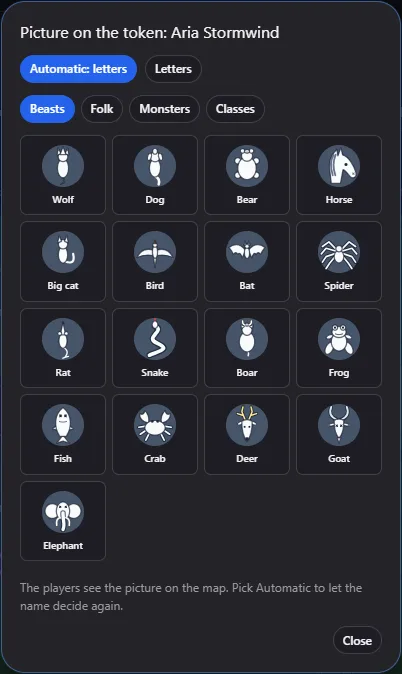
Tokens show letters or one of more than forty little pictures: beasts, folk, monsters and character classes. Pick one by hand, or let the creature's name decide.
Moods and a tour
Switch between Build, Combat, Explore and Social to put away the tools you do not need. A short tour walks you through the editor the first time.
Show it to your players
Every player opens a link on their phone. No app, no account for them.
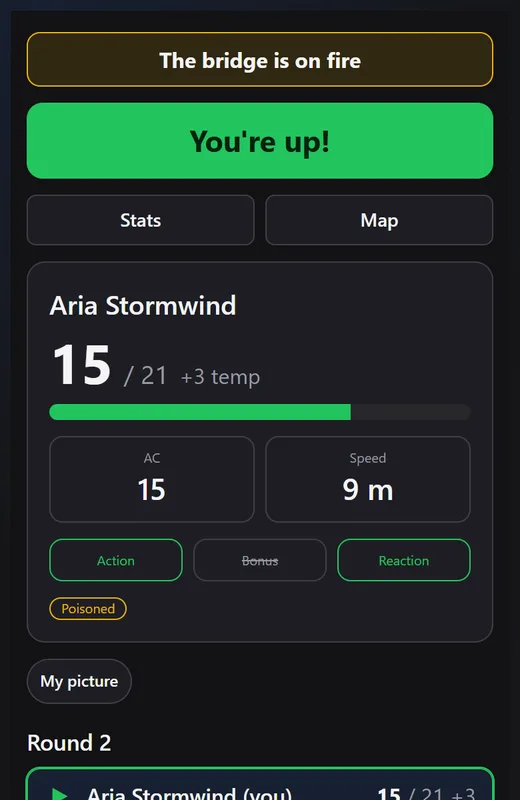
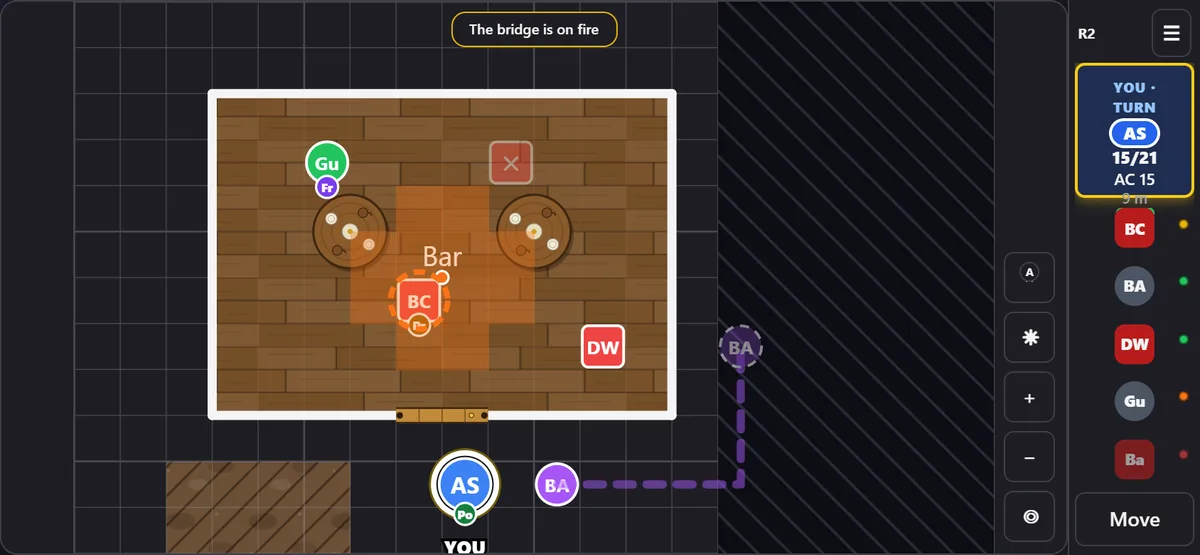
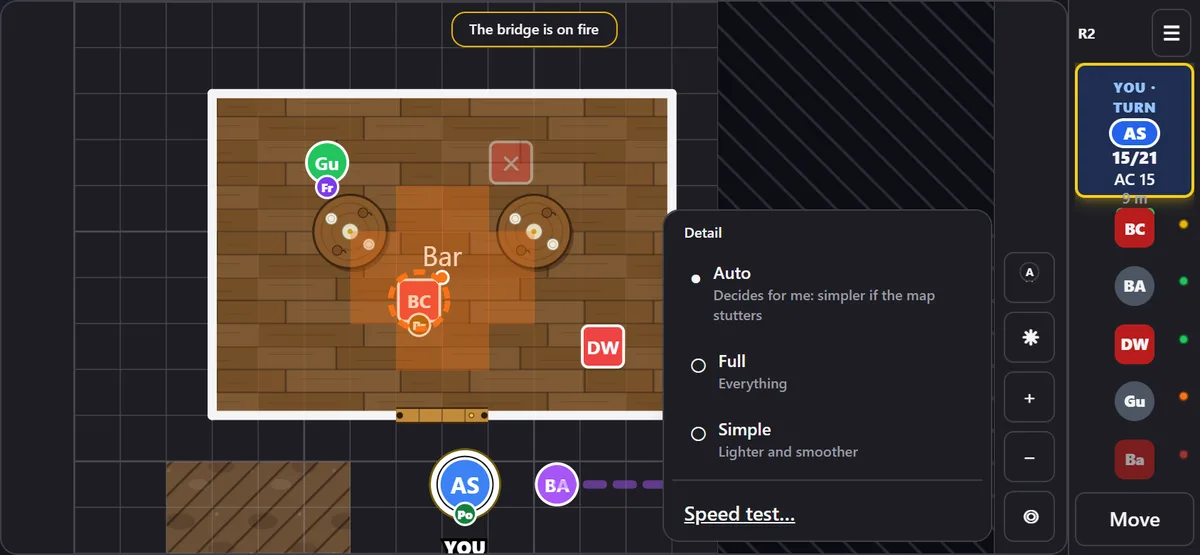
A link or a QR code for each player
Share a table, and each character gets a link. Each player sees their own hit points, armour class, speed and conditions, whose turn it is and how the others are doing.
A map on every phone
Players see the map as you reveal it. They can zoom and look around, and the phone can be held upright or sideways.
Move by drawing a route
A player draws where they want to go. Their phone checks walls and the distance they have left, and you agree or say it is not possible. You can let legal moves through by themselves, or switch to free movement.
Attack, ping and loot
Players can ask to attack a token, ping a spot on the map or take loot. A ping shows to everyone for a few seconds.
A screen for the middle of the table
Open the table display on a TV or laptop to show the map, the turn order or both. You decide whether it may only ping or may play too.
Dark screens
Pause every screen with a short line such as The DM is setting up, light them again when you are ready, and fade between the two.
Players choose how it looks
Dark or Parchment look, slow or fast movement, how much the page animates, and how much detail the map draws. Players can also pick the little picture on their own token.
Made for older phones too
The map pauses its animations while it moves, and a Detail button switches to a simpler map. In Auto it does that by itself when the map stutters.
Session tools
Before, during and after the game.
Session prep
One flow for getting ready: open threads, advancing downtime and pre-rolling NPCs.
Downtime
Merchants restock and attitudes drift while time passes.
Recap
An editable draft of what happened, to copy or download as Markdown.
Notes and open threads
A notes panel and a list of leads, debts and open questions.
Player handouts
Make a one-page handout for the players to take away.
Saving, backups and privacy
Your campaign is yours.
Autosave in your browser
Everything saves as you go, with a reminder to make a backup.
Export and import
Export the whole campaign as one file and import it again. Export NPCs as Markdown or plain text, and print stat blocks.
Optional cloud save
Sign in, free, to keep your campaign in the cloud and open it on another device. Sharing a table to phones also needs this.
No tracking across the web
The toolkit has no ads and does not follow you from site to site. The privacy page says exactly what is stored and where.
Look and settings
Make it comfortable.
Themes
A dark and a light look, and metric or imperial units.
Motion
Full, Calm or Off, and it follows your system's reduced-motion setting until you choose.
Keyboard shortcuts
Shortcuts for dice and common actions, with an overlay that lists them.
Questions
- Is D&D Toolkit free?
- Yes. It is a free hobby project, with no ads.
- Do I need an account?
- Not to use the toolkit. Everything works in your browser. An account is only needed for cloud save and for sharing a table with your players' phones.
- Where is my campaign stored?
- In your own browser, unless you turn on cloud save. Export it as a file at any time.
- Do my players need to install anything?
- No. Each player opens a link or scans a QR code on their phone.
- Which rules does it use?
- The combat tracker follows the 2024 fifth edition rules. NPCs and creatures are built for fifth edition games.
- Is it official Dungeons & Dragons material?
- No. It is a fan-made tool and is not affiliated with Wizards of the Coast. The licences page has the details and credits.
Looking for what changed lately? See the changelog. Files to download are on the downloads page.